Summary:
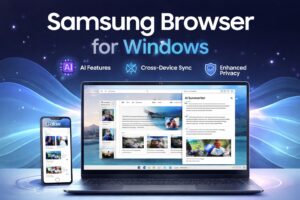
Samsung Browser for Windows is now officially available with AI-powered browsing, seamless Galaxy device syncing, and advanced productivity tools. Designed to compete with Chrome and Edge, it introduces features like AI summarization, contextual browsing, and cross-device continuity.
Samsung Browser for Windows Official Launch: Everything You Need to Know
Featured Snippet Answers
What is Samsung Browser for Windows?
Samsung Browser for Windows is a desktop browser with AI-powered features, cross-device syncing, and enhanced privacy tools.
Does Samsung Browser for Windows support AI features?
Yes, it includes AI tools like content summarization, smart search, and contextual browsing assistance.
Is Samsung Browser for Windows better than Chrome?
It offers better Samsung ecosystem integration and built-in AI features, but Chrome still has a larger user base.
The Samsung Browser for Windows has officially entered the desktop browser market, marking a major evolution in Samsung’s software ecosystem. Previously known as Samsung Internet and limited largely to mobile devices, the company has now expanded its browser to Windows PCs with powerful AI-driven features and seamless cross-device functionality.
This launch signals Samsung’s ambition to compete directly with dominant browsers like Chrome and Microsoft Edge. But unlike traditional browsers, the Samsung Browser for Windows is designed to offer a smarter, more connected, and AI-enhanced browsing experience.
With the rise of AI-powered web tools and productivity-focused browsers, Samsung’s move comes at the perfect time.
The Evolution of Samsung Browser for Windows
Samsung’s journey into desktop browsing has been gradual yet strategic. Initially launched as a beta version in late 2025, the browser was introduced to test performance, user experience, and ecosystem integration.
By early 2026, Samsung rebranded “Samsung Internet” to Samsung Browser for Windows, officially launching it with improved stability, performance upgrades, and AI features.
This transformation is more than just a name change—it reflects Samsung’s shift toward AI-first browsing and cross-platform connectivity.
AI-Powered Features: The Core Highlight
The most impressive aspect of the Samsung Browser for Windows is its integration of artificial intelligence. Unlike traditional browsers that rely on extensions, Samsung is embedding AI directly into the browsing experience.
Key AI Capabilities:
- AI content summarization
- Context-aware browsing assistance
- Natural language search interactions
- Smart recommendations based on page content
The browser uses advanced AI systems capable of analyzing web pages, extracting key information, and even performing tasks on behalf of the user.
This places the Samsung Browser for Windows among the new generation of AI browsers, where automation and intelligence enhance everyday browsing tasks.
The AI capabilities in the Samsung Browser for Windows reflect a growing trend in intelligent browsing, similar to innovations discussed in Perplexity Comet Enterprise Launch: AI Browser Set to Redefine Workplace Productivity in 2026, where AI-driven tools are transforming how users interact with web content.
Seamless Cross-Device Integration
Samsung’s biggest strength lies in its ecosystem, and the Samsung Browser for Windows fully leverages this advantage.
Users can seamlessly sync their data across devices, including:
- Bookmarks
- Browsing history
- Saved passwords
- Open tabs
This means you can start browsing on your smartphone and continue instantly on your PC without interruption.
The browser uses Samsung Account integration and Samsung Pass for secure syncing, ensuring both convenience and security.
This level of continuity creates a unified digital experience that few competitors can match.
Built on Chromium: Familiar Yet Powerful
The Samsung Browser for Windows is built on the Chromium engine, the same foundation used by Google Chrome and Microsoft Edge. This ensures:
- Fast performance
- Compatibility with modern websites
- Support for extensions
- Stable browsing experience
However, Samsung differentiates itself by adding its own features such as enhanced privacy tools, UI customization, and AI-powered browsing assistance.
Privacy and Security Features
In today’s digital landscape, privacy is a major concern. Samsung addresses this by integrating advanced security tools into the Samsung Browser for Windows.
Security Features Include:
- Anti-tracking technology
- Secure browsing modes
- Privacy dashboard
- Enhanced password protection
These features help protect user data while maintaining high browsing speeds and performance.
Productivity Benefits of Samsung Browser for Windows
The Samsung Browser for Windows is not just about browsing—it is built for productivity.
How It Boosts Productivity:
- AI Summaries
Quickly understand long articles without reading everything. - Smart Search
Get context-based answers instead of generic results. - Task Automation
AI can assist with planning, researching, and organizing information. - Multi-device Workflow
Switch between phone and PC effortlessly.
These features make the Samsung Browser for Windows ideal for students, professionals, and content creators.
Competing in the AI Browser Era
The browser market is evolving rapidly with the rise of AI-driven platforms. The Samsung Browser for Windows is entering a competitive space that includes AI-enhanced versions of Chrome, Edge, and newer AI-first browsers.
As the competition intensifies, many users are exploring alternatives listed in Best AI Browsers in 2026, where Samsung Browser for Windows is emerging as a strong contender among AI-powered web browsers.
AI browsers are designed to:
- Understand user intent
- Automate repetitive tasks
- Provide contextual assistance
- Improve efficiency
Samsung’s approach focuses on combining AI with its hardware ecosystem, creating a unique competitive advantage.
Strengths of Samsung Browser for Windows
1. AI Integration
Built-in AI tools provide a smarter browsing experience.
2. Ecosystem Advantage
Perfect for Galaxy users with seamless device connectivity.
3. Privacy Focus
Strong security features ensure data protection.
4. Customization
Users can personalize their browsing interface.
Limitations and Challenges
Despite its impressive features, the Samsung Browser for Windows faces some challenges:
1. Limited AI Availability
Some AI features are currently restricted to select regions.
2. Strong Competition
Chrome and Edge dominate the desktop browser market.
3. Ecosystem Dependency
Best features are available mainly for Samsung users.
However, as Samsung continues to expand its software ecosystem, these limitations may reduce over time.
Future of Samsung Browser for Windows
Samsung is clearly investing heavily in AI and cross-platform integration. Future updates are expected to bring:
- More advanced AI capabilities
- Better performance optimization
- Wider global availability
- Enhanced multitasking features
The company’s long-term vision is to create an “ambient AI” browsing experience that anticipates user needs and simplifies workflows.
Final Verdict: Should You Use Samsung Browser for Windows?
The Samsung Browser for Windows is a powerful new entrant in the desktop browser space. It combines AI-driven features, seamless device integration, and strong privacy tools to create a modern browsing experience.
If you already use Samsung devices, this browser offers unmatched convenience. Even if you don’t, the AI capabilities alone make it worth trying.
As AI continues to redefine how we use the internet, the Samsung Browser for Windows positions itself as a future-ready solution.
❓ FAQs (People Also Ask)
Is Samsung Browser for Windows free?
Yes, it is completely free to download and use.
Can I use Samsung Browser for Windows without a Samsung phone?
Yes, but full features work best with Samsung devices.
Does Samsung Browser for Windows support extensions?
Yes, since it is Chromium-based, it supports extensions.
Is Samsung Browser for Windows secure?
Yes, it includes anti-tracking, secure browsing, and privacy protection features.
What makes Samsung Browser for Windows unique?
Its AI integration and seamless Galaxy ecosystem connectivity set it apart.

Rakesh is a digital publisher and SEO-focused tech writer covering technology trends, blogging strategies, affiliate marketing, and trending news. With expertise in search optimization and online growth, he delivers research-driven insights, practical guides, and timely news updates. His content focuses on helping readers understand digital trends, emerging technologies, and effective online publishing strategies in a rapidly evolving tech landscape.
Leave a Reply