Microsoft is introducing a major update to Bing in Windows 11 Search, allowing users to disable web results and focus on local files, apps, and settings. The move addresses one of the most common complaints from Windows users and signals a shift toward greater customization, faster search performance, and improved productivity in Windows 11.
Bing in Windows 11 Search Finally Gets a Major Change as Microsoft Gives Users More Control
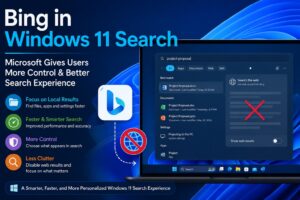

Bing in Windows 11 Search Gets a Long-Awaited Upgrade
For years, Bing in Windows 11 Search has been one of the most debated features in Microsoft’s desktop operating system. While Microsoft envisioned a connected experience that combines local search with online information, many users felt that Bing in Windows 11 Search often made finding files and applications more complicated than necessary.
Now, Microsoft appears ready to make a significant change. The company is reportedly testing new controls that would allow users to disable Bing in Windows 11 Search and focus exclusively on local search results. This update could dramatically improve the user experience for millions of Windows 11 users who rely on search functionality every day.
The decision marks a notable shift in Microsoft’s strategy and reflects growing demand for faster, cleaner, and more relevant desktop search experiences.
Why Bing in Windows 11 Search Has Been Controversial
Since the introduction of Windows 11, Microsoft has integrated Bing in Windows 11 Search to provide web-based results directly from the search box. The goal was to help users access online information without opening a browser.
However, many users reported that Bing in Windows 11 Search often displayed internet results when they were simply trying to locate files, settings, or installed applications. This created unnecessary distractions and slowed down workflows.
For example, a user searching for a local document might receive web suggestions alongside desktop results. Similarly, searching for a system setting could generate Bing-powered recommendations that were unrelated to the user’s immediate needs.
As a result, Bing in Windows 11 Search became one of the most frequently criticized aspects of the operating system, especially among professionals, developers, students, and enterprise users.
Microsoft Responds to User Feedback
Microsoft has increasingly emphasized user feedback in recent Windows updates. The planned changes to Bing in Windows 11 Search demonstrate that the company is listening to long-standing concerns from its user community.
The new update is expected to introduce options that allow users to customize their search experience more effectively. Instead of forcing Bing integration across all search queries, Microsoft is giving people the ability to decide how Windows Search behaves.
This approach aligns with broader industry trends that prioritize personalization, user control, and productivity.
By reducing dependency on web results, Bing in Windows 11 Search can become more efficient and better aligned with the needs of everyday users.
How the New Search Experience Will Work
The biggest improvement involves providing users with the option to disable Bing in Windows 11 Search entirely.
Once enabled, users can expect:
- Local files to appear first
- Faster access to installed applications
- Improved visibility for system settings
- Reduced clutter from online search suggestions
- More accurate search results
These enhancements could transform Bing in Windows 11 Search from a mixed local-and-web search platform into a dedicated productivity tool.
The change is particularly important for users who primarily use Windows Search to navigate their PCs rather than browse the internet.
Better Performance for Everyday Tasks
One of the strongest arguments against Bing in Windows 11 Search has been performance. Many users felt that web integration introduced unnecessary delays when performing simple searches.
The upcoming improvements aim to address these concerns through several enhancements.
Faster Result Prioritization
Search algorithms are being refined to prioritize local content more effectively. This means files, folders, and applications should appear before unrelated web results.
Improved File Discovery
Finding recently created or modified files is expected to become easier. Better indexing technology can help users locate important documents without scrolling through irrelevant suggestions.
Enhanced Search Accuracy
Microsoft is working to improve how Bing in Windows 11 Search interprets search terms. This can result in more precise matches and fewer irrelevant results.
Reduced Search Friction
Users will spend less time filtering through unwanted recommendations and more time accessing the information they need.
Why Businesses Will Welcome This Update
Enterprise customers represent a significant portion of Microsoft’s user base, and many organizations depend heavily on Windows Search.
For businesses, Bing in Windows 11 Search has often been viewed as a productivity challenge. Employees frequently need immediate access to local documents, internal resources, and applications rather than internet search results.
The new controls could provide several advantages:
Increased Productivity
Employees can locate files and applications faster, reducing wasted time throughout the workday.
Better Workflow Efficiency
A streamlined search experience minimizes distractions and keeps users focused on their tasks.
Improved User Satisfaction
Giving users control over Bing in Windows 11 Search can improve overall satisfaction with Windows 11.
Reduced Training Requirements
Simpler search behavior makes it easier for new employees to adapt to company systems.
These benefits make the update especially attractive for large organizations managing hundreds or thousands of Windows devices.
The Growing Demand for Local-First Search
The changes to Bing in Windows 11 Search reflect a broader trend in software development: local-first experiences.
Users increasingly expect software to prioritize their immediate needs rather than promote external services. When searching on a desktop computer, most people want quick access to local resources.
This demand has become even stronger as digital workloads continue to grow. Professionals often manage thousands of files, making efficient search functionality essential.
By improving Bing in Windows 11 Search, Microsoft acknowledges that desktop search and web search serve fundamentally different purposes.
What This Means for Bing
Some observers may view the update as a setback for Bing, but the reality is more nuanced.
Bing remains a critical component of Microsoft’s broader ecosystem, including AI-powered services, cloud products, and online search capabilities.
Rather than removing Bing completely, Microsoft is simply allowing users to choose when and how Bing is integrated into their workflow.
This approach may ultimately strengthen Bing’s reputation by ensuring that users engage with the service when it genuinely adds value.
In other words, Bing in Windows 11 Search is becoming more flexible rather than disappearing.
A Win for Windows 11 Users
The ability to customize Bing in Windows 11 Search represents a meaningful victory for Windows users who have requested greater control for years.
The update demonstrates Microsoft’s willingness to refine features based on real-world usage patterns instead of forcing a one-size-fits-all approach.
For power users, developers, content creators, students, and business professionals, the improvements could significantly enhance daily productivity.
Many users have long relied on workarounds, registry edits, and third-party utilities to disable Bing integration. The introduction of an official setting simplifies the process and improves accessibility for all users.
Future Improvements Could Be on the Way
The upcoming update may only be the beginning.
Microsoft continues investing heavily in Windows Search technology, artificial intelligence, and productivity enhancements. Future versions of Bing in Windows 11 Search could include:
- Smarter local indexing
- AI-assisted file discovery
- Improved natural language search
- Enhanced privacy controls
- Better enterprise management tools
- Faster search processing
As these technologies mature, Windows Search could become one of the most powerful productivity features within the operating system.
Final Thoughts
The latest changes to Bing in Windows 11 Search represent one of the most user-focused improvements Microsoft has introduced in recent years. By allowing users to disable web results and prioritize local content, the company is addressing a long-standing complaint that has affected millions of Windows users.
The update has the potential to make Windows 11 faster, cleaner, and more efficient while giving users greater control over how they interact with their PCs. For professionals, businesses, and everyday consumers alike, the future of Bing in Windows 11 Search looks significantly more promising than ever before.
As Microsoft continues refining Windows 11, this move could become a defining example of how listening to user feedback leads to better software experiences.

Rakesh is a digital publisher and SEO-focused tech writer covering technology trends, blogging strategies, affiliate marketing, and trending news. With expertise in search optimization and online growth, he delivers research-driven insights, practical guides, and timely news updates. His content focuses on helping readers understand digital trends, emerging technologies, and effective online publishing strategies in a rapidly evolving tech landscape.
Leave a Reply