VS Code AI Context Across Devices introduces persistent AI memory, cross-device synchronization, Research Agent tools, and smarter coding workflows that boost developer productivity.
VS Code AI Context Across Devices: Microsoft Introduces a Smarter AI Development Experience
VS Code AI Context Across Devices Brings Seamless Coding Across Multiple Machines
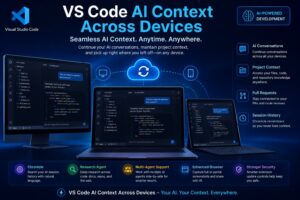
Microsoft has unveiled a major upgrade to Visual Studio Code that could significantly improve how developers interact with artificial intelligence tools. The new VS Code AI Context Across Devices feature allows developers to maintain AI-generated context, conversations, and project information while switching between different computers.
As AI coding assistants become an essential part of software development, developers increasingly work across desktops, laptops, and cloud-based environments. One common challenge has been losing AI context when moving from one device to another. The latest Visual Studio Code update aims to solve that problem through intelligent synchronization and persistent AI memory.
The introduction of VS Code AI Context Across Devices represents another step toward Microsoft’s broader vision of AI-first software development. Instead of treating AI as a separate tool, the company is integrating AI deeply into the developer workflow.
Why VS Code AI Context Across Devices Matters
Modern software development is no longer limited to a single workstation. Developers often begin coding sessions in the office, continue work remotely, and review projects from different devices throughout the day.
Until now, switching devices often required developers to restart AI conversations, reload project information, and manually recreate context for coding assistants.
The new VS Code AI Context Across Devices functionality eliminates much of this friction.
With context synchronization enabled, developers can seamlessly continue their work regardless of which machine they use. AI assistants remain aware of previous conversations, project structures, repositories, and coding objectives.
This creates a more natural development experience where AI becomes a persistent collaborator rather than a temporary tool.
How the New Cross-Device AI Synchronization Works
The core idea behind VS Code AI Context Across Devices is straightforward: maintain continuity across development environments.
Once developers sign in and enable synchronization features, Visual Studio Code can preserve important AI-related information, including:
AI Chat History
Developers can continue previous AI conversations without restarting discussions or repeating instructions.
Repository Context
Project-specific information remains available across synchronized devices.
File Changes
Modified files and coding progress can be tracked alongside AI interactions.
Pull Request Information
Associated pull requests remain connected to development workflows.
Session Memory
Important project details remain available for future coding sessions.
The result is a smoother workflow that reduces interruptions and improves productivity.
Chronicle Introduces Intelligent AI Memory
One of the most exciting additions accompanying VS Code AI Context Across Devices is a new capability called Chronicle.
Chronicle functions as a searchable history system for AI-assisted development sessions.
As developers interact with AI tools over weeks or months, conversations can quickly become difficult to track. Chronicle addresses this challenge by allowing users to search previous AI sessions using natural language queries.
For example, developers can search for:
- Authentication bug discussions
- API integration guidance
- Performance optimization sessions
- Database migration recommendations
- Security review conversations
Instead of manually reviewing chat histories, developers can instantly locate relevant AI interactions.
This feature could become especially valuable for enterprise development teams managing large-scale projects.
Research Agent Expands AI Capabilities
Another major innovation included in the latest release is the Research Agent.
The Research Agent enables developers to conduct advanced investigations directly within Visual Studio Code.
Rather than searching multiple sources manually, developers can request comprehensive research reports from AI assistants.
The system can analyze:
Source Code
Existing project files provide technical context.
Repositories
Repository-level analysis helps identify patterns and dependencies.
Documentation
Framework and platform documentation can be incorporated into research results.
Development Resources
External references support deeper technical investigations.
The final output is delivered in a structured format that helps developers make informed decisions.
Combined with VS Code AI Context Across Devices, the Research Agent provides a more intelligent and context-aware development environment.
The Growing Importance of Persistent AI Memory
One of the biggest trends in artificial intelligence is persistent memory.
Most AI assistants traditionally operate within isolated sessions. Once the conversation ends, valuable context disappears.
The launch of VS Code AI Context Across Devices highlights the industry’s shift toward long-term AI memory systems.
Persistent context offers several benefits:
Improved Accuracy
AI assistants better understand project requirements.
Reduced Repetition
Developers no longer need to explain the same information repeatedly.
Faster Problem Solving
Historical project knowledge improves AI recommendations.
Enhanced Productivity
Less time is spent rebuilding context.
As AI becomes more deeply integrated into software development, memory systems are expected to become increasingly important.
Multi-Agent Development Becomes Reality
The latest Visual Studio Code update also supports more advanced multi-agent workflows.
Developers can now work with multiple AI agents simultaneously, each focused on different tasks.
Possible use cases include:
- One agent reviewing security vulnerabilities
- Another agent generating documentation
- A third agent optimizing performance
- A fourth agent assisting with testing
The ability to compare multiple AI perspectives can improve decision-making and accelerate development cycles.
When combined with VS Code AI Context Across Devices, these capabilities create a more sophisticated AI-assisted coding environment.
Enhanced Browser Integration Improves AI Collaboration
Visual Studio Code’s integrated browser tools have also received meaningful upgrades.
Developers can now provide visual information directly to AI assistants through:
Full Page Screenshots
Entire webpages can be analyzed.
Partial Screen Captures
Specific interface components can be highlighted.
Visual References
Design elements can be shared for troubleshooting and analysis.
Visual context often helps AI assistants better understand development challenges, particularly when debugging user interfaces or reviewing design implementations.
These enhancements further strengthen the practical value of AI-assisted development.
Security Remains a Key Focus
As AI capabilities expand, security remains a top priority.
Microsoft has introduced additional safeguards designed to protect developers and organizations from potentially harmful extension updates.
The updated approach introduces a controlled rollout process for extension updates, creating additional opportunities to identify:
- Malicious code
- Security vulnerabilities
- Compatibility issues
- Performance problems
This strategy helps maintain trust within the Visual Studio Code ecosystem while supporting continued innovation.
Security-conscious organizations are likely to view these protections as an important complement to VS Code AI Context Across Devices and other AI-powered features.
What This Means for Enterprise Development Teams
Enterprise software teams often manage large codebases, distributed workforces, and complex development pipelines.
The arrival of VS Code AI Context Across Devices offers several advantages for these organizations.
Improved Collaboration
Shared context can improve coordination between developers.
Better Knowledge Retention
AI systems preserve important project information.
Reduced Onboarding Time
New team members can access historical project context more easily.
Higher Productivity
Developers spend less time recreating conversations and gathering information.
Enhanced Decision Making
Persistent AI memory improves the quality of recommendations.
These benefits align with broader industry efforts to increase software development efficiency through artificial intelligence.
The Future of AI-Powered Development
The launch of VS Code AI Context Across Devices reflects a larger transformation occurring across the software industry.
Development environments are evolving from simple code editors into intelligent platforms capable of understanding projects, maintaining memory, and assisting with increasingly complex tasks.
Future AI-powered development tools may include:
- Long-term project memory
- Autonomous debugging agents
- Automated architecture analysis
- Predictive code optimization
- Intelligent project planning
Microsoft’s latest Visual Studio Code enhancements provide a glimpse into that future.
Final Thoughts
The introduction of VS Code AI Context Across Devices marks a significant milestone in the evolution of developer tools. By enabling AI context synchronization across multiple machines, Microsoft is addressing one of the most common frustrations experienced by developers who rely on AI-assisted workflows.
Combined with Chronicle memory search, Research Agent capabilities, multi-agent collaboration, enhanced browser integration, and stronger security protections, this update transforms Visual Studio Code into an even more powerful development platform.
As AI continues to reshape software engineering, features such as VS Code AI Context Across Devices are likely to become standard expectations rather than optional enhancements. Developers who embrace these tools may gain significant productivity advantages in an increasingly AI-driven future.

Rakesh is a digital publisher and SEO-focused tech writer covering technology trends, blogging strategies, affiliate marketing, and trending news. With expertise in search optimization and online growth, he delivers research-driven insights, practical guides, and timely news updates. His content focuses on helping readers understand digital trends, emerging technologies, and effective online publishing strategies in a rapidly evolving tech landscape.
Leave a Reply